


So much to learn. Picked up a beautiful SR3xx and trying to learn as much as I can before my first test day at CMP in SC. First simple question is how to reset the fuel consumption number on the SW4 wheel. The hardest part for me is learning the steering wheel functions and software. I would actually love to customize a page on my SW4 wheel. It seems that customizing my wheel is perhaps locked out on my RaceStudio3 software. Any insights would be greatly appreciated!! Thank you!

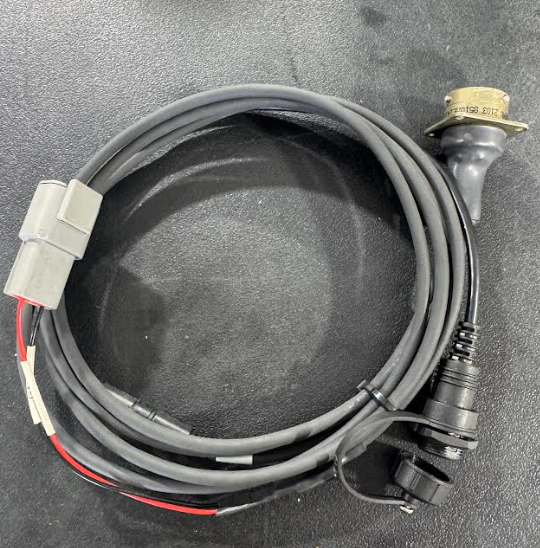
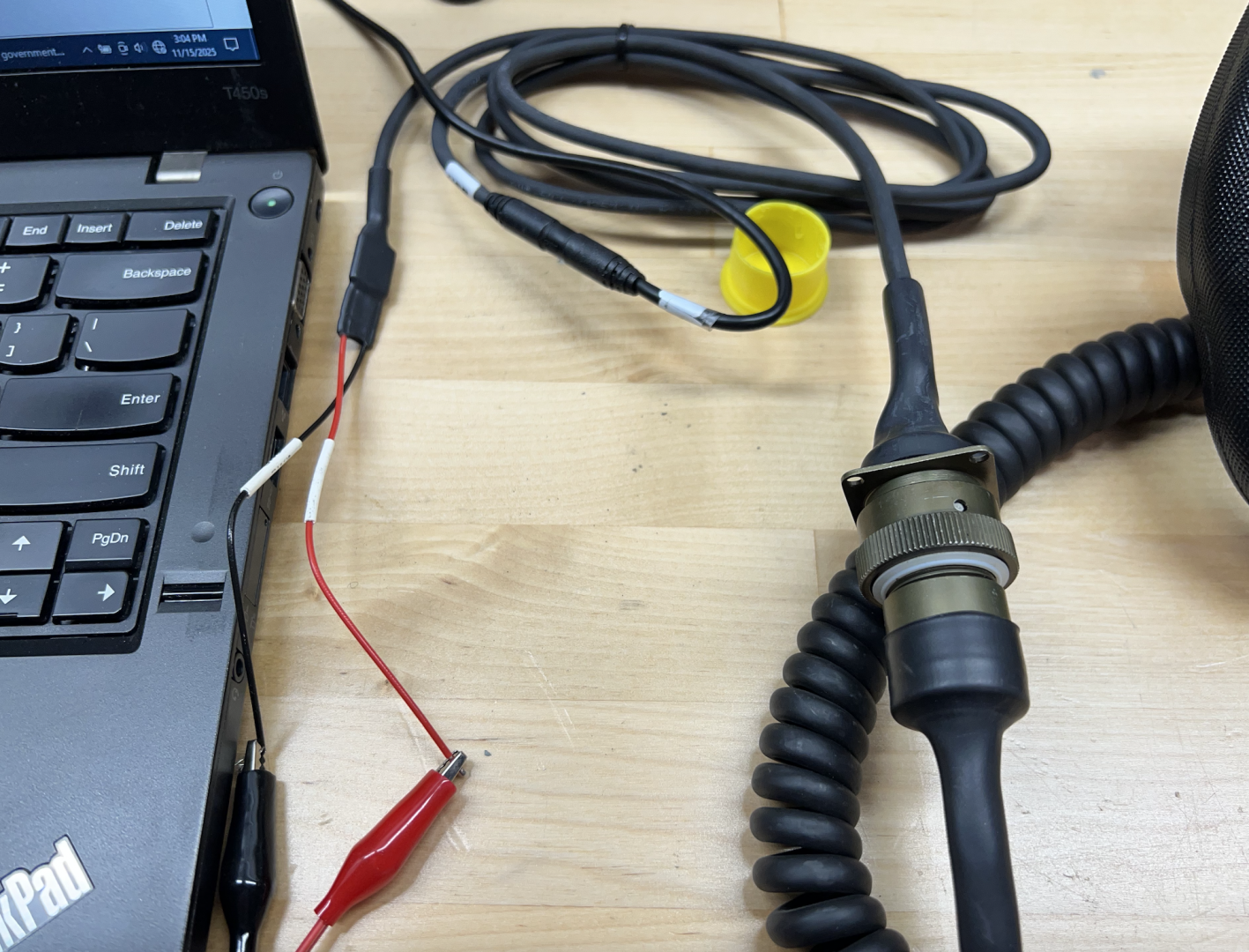
Cant comment on the consumption detail sorry however.....I'm learning our radical SW4 is a little different, if you want to update the pages or setting on our wheels, you need a specific cable that plugs direct into the wheels coiled cable/harness from radical
Part number is LH0377 and cost to me was ~$180 AUD. The supplied cable;
- does not include the grey two pin Deutsch connector, it simply comes with bare wires to connect to 12v power.
- I'm wiring mine up with a similar two pin Deutsch connector so that I can power either from the car via an existing 12v supply or power via a usb to 12v power converter.
- once all wired,
- the wheel is connected via the bronze-coloured connecter,
- the grey Deutsch connector supplies 12v, and,
- the black connector shown on the bottom of the pic has a female 12v mini usb to connect to your pc/race studio
This is all academic for me for the moment as I don't have access to the wheel currently but will be able to test in a fortnight....i also hope to use the cable and wheel connected to my PC for sim racing.
That is very helpful. Thank you. Now I know there must be a way to reset the fuel consumption after filling the tank. Anyone else know? Thank you!!
@luke-ellis Found the cord in the box of goodies I received with my Radical. I was able to connect directly with the SW4 wheel, and customize some of the screens. I could not figure out how to program a button with the reset Fuel SW option that I see in the drop down menu. Any other experts out there to take me over the finish line with the reset fuel consumption?
Just a little update. Racestudio 3 hooked up directly to the steering wheel seems to be locked with regards to programming the buttons. I can't even see what the buttons are programmed to do. Out of total luck and trial and error, however, I was able to find the Fuel Consumption Reset. I turned my knob to position 8, and I held the mark and mem ok buttons for 5 seconds, and the screen filled with the words, Fuel Cons Reset!! I have found the hidden buttons... I am good to go now. Hope this helps any future owners.
@radicaldave Hopefully you can help me now…connected my wheel for the first time and other than rs3 asking for an access key, i couldnt see any ability to adjust the pages/sensors, can you please walk me through it?
@luke-ellis I am out of town, so I can reconnect when I get back. Basically as I remember, hook up the wheel and power up. Go to the top menus, I think the second from the left. You should see all the pictures of the steering wheels. Hit the connect button, maybe the circle arrows to see your connection show up. Now you can click on that and alter each of the different pages from the wheel. Let me know if you get it. If not, I will go back to connect my wheel this weekend to get you more information.
Hmm, thank you.
i can connect to the wheel and its responding..
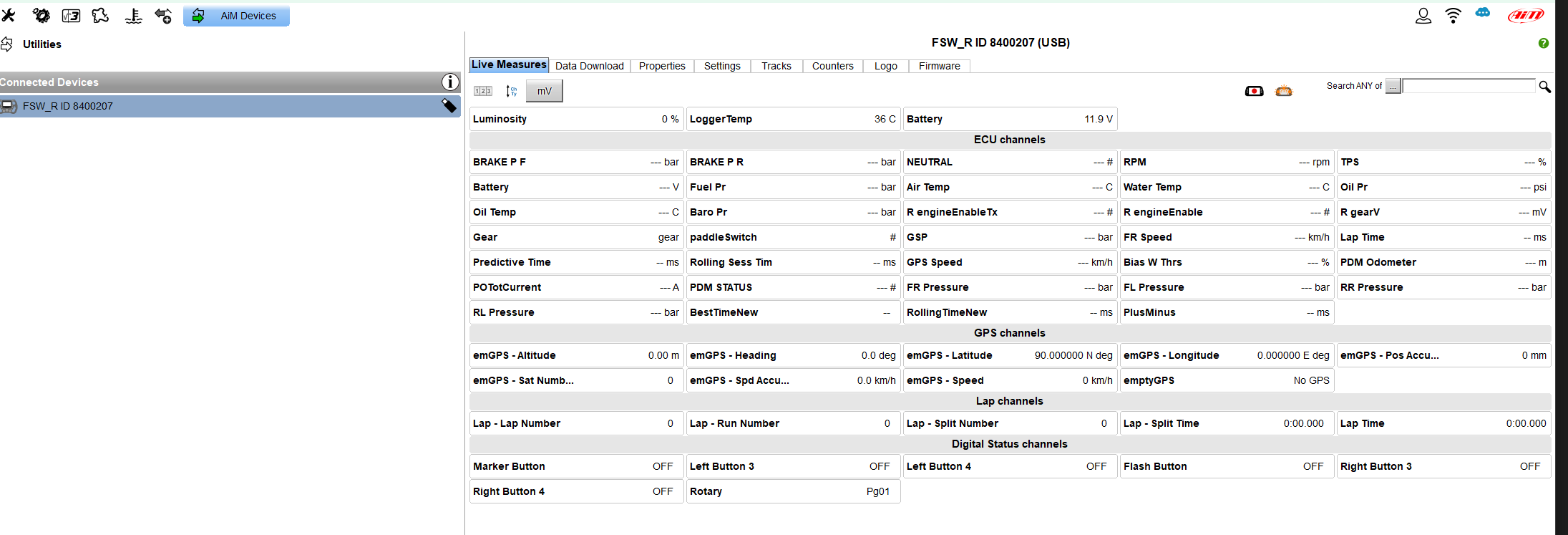
however i see no ability to view the data pages?

if i try to 'recieve' the settings i see the below;
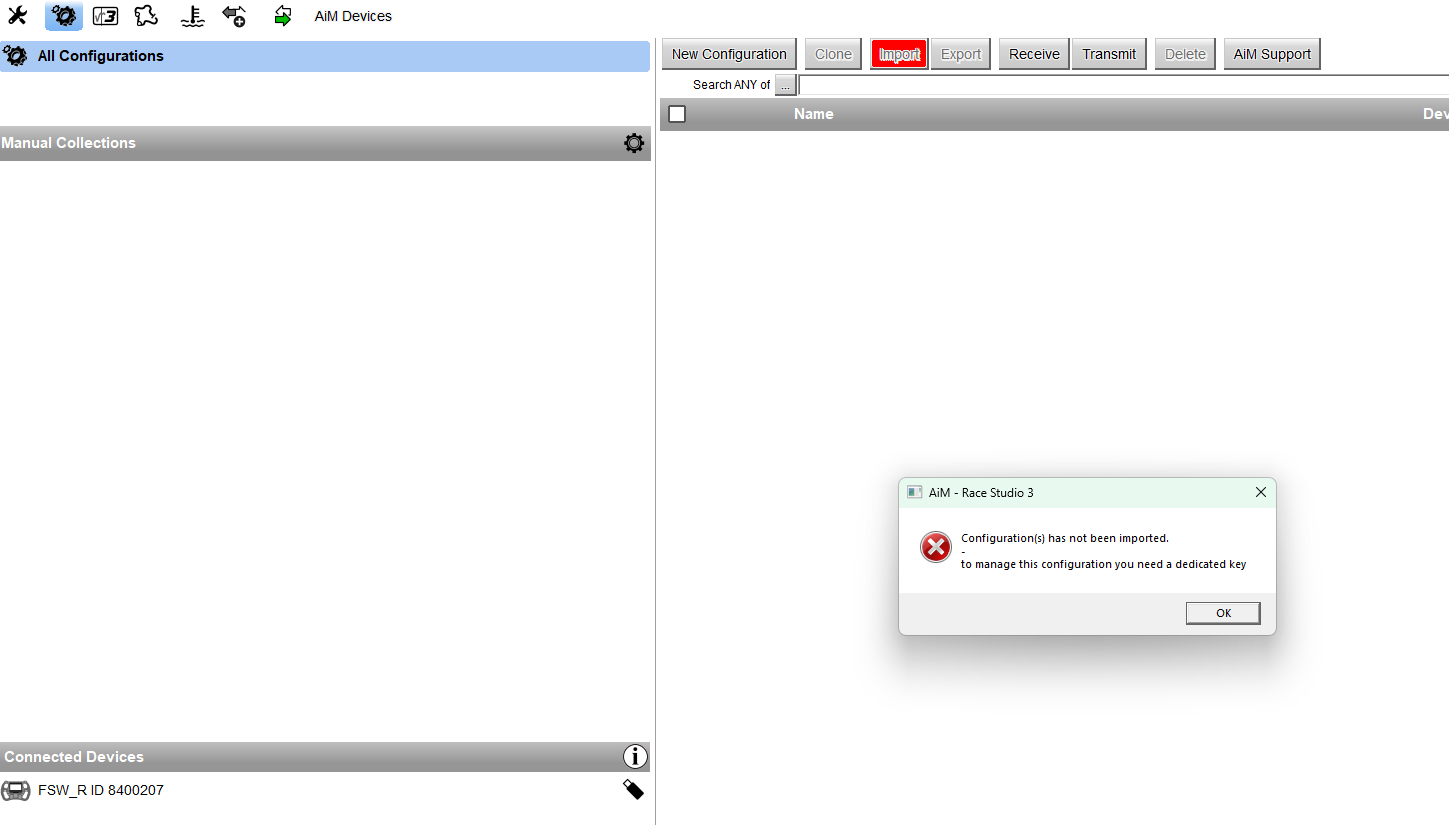
Im not going to be near my car again until Saturday, but as I recall, try hitting the arrows button to read the wheel.

😤 @radicaldave ... connected the wheel again, that button takes me to the device screen (below)
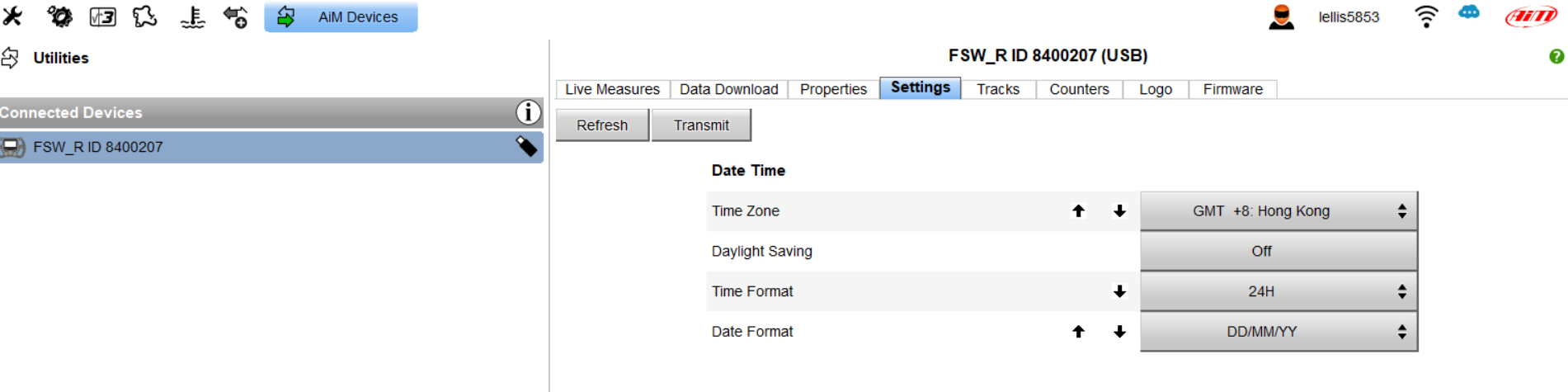
The receive button (shown below) just returns the request for a 'key'
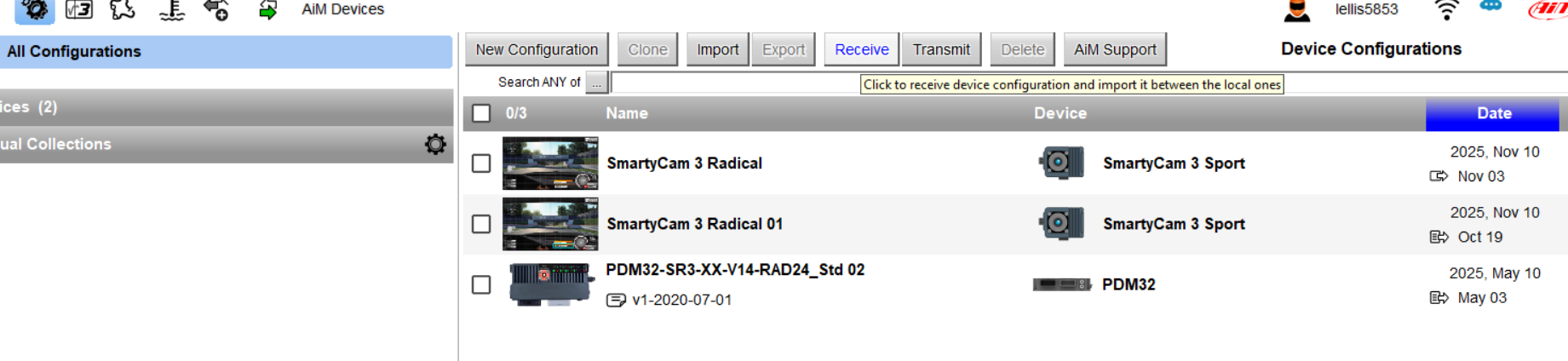
@luke-ellis Okay connected again. Hit the gear icon, click on the wheel options on the right, hit display button, click on various pages representing the wheel pages. See my pics. Good luck!

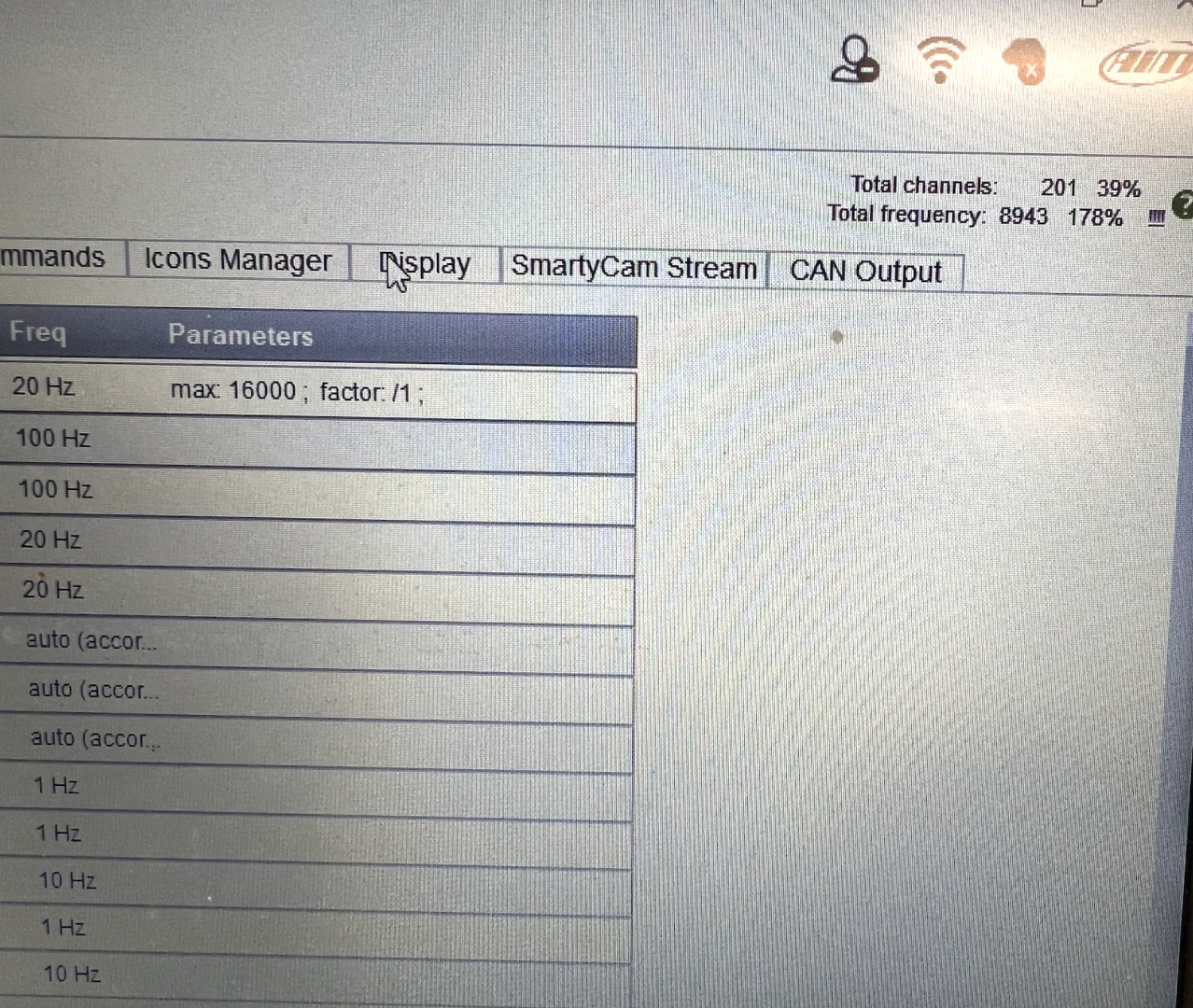
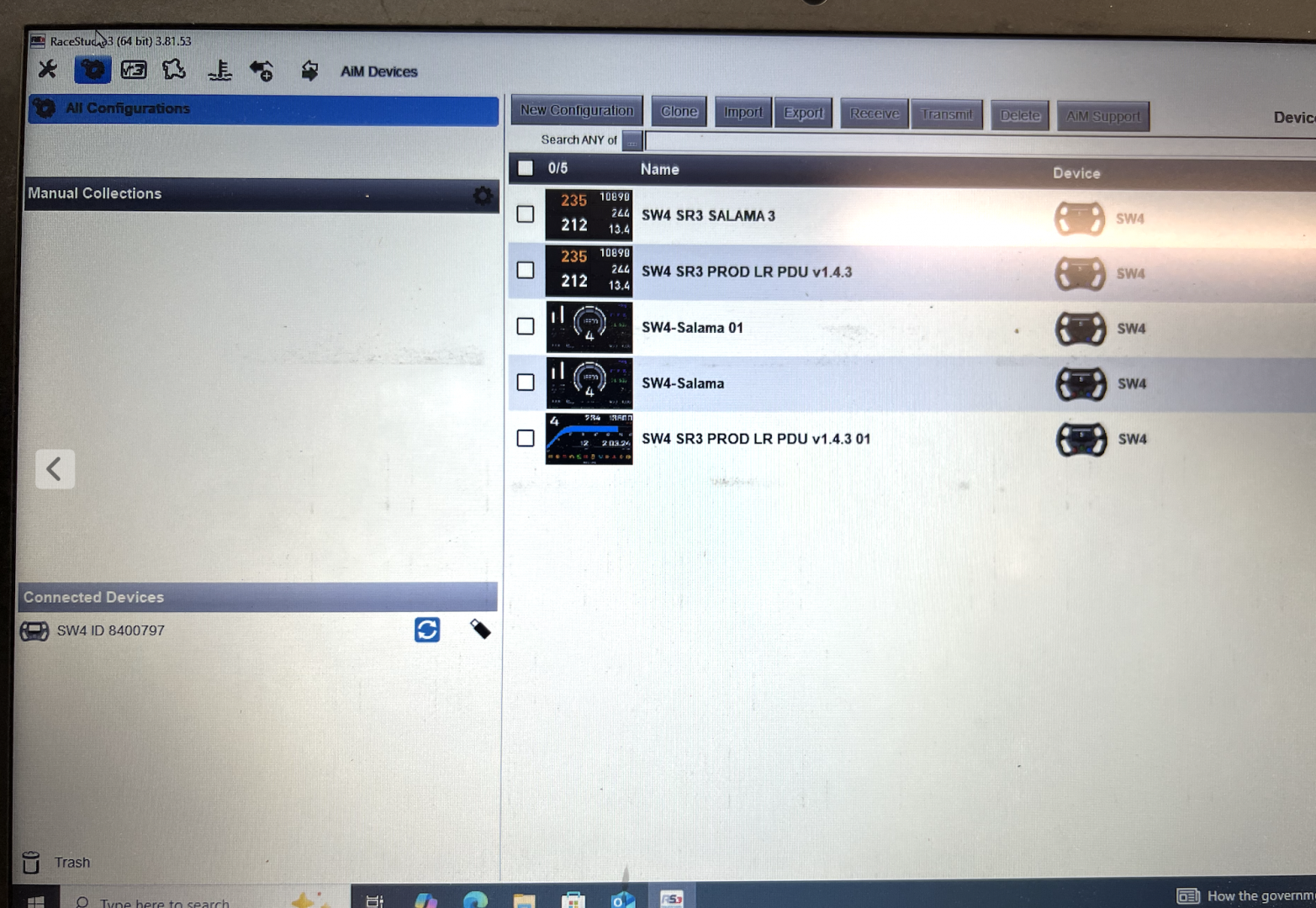
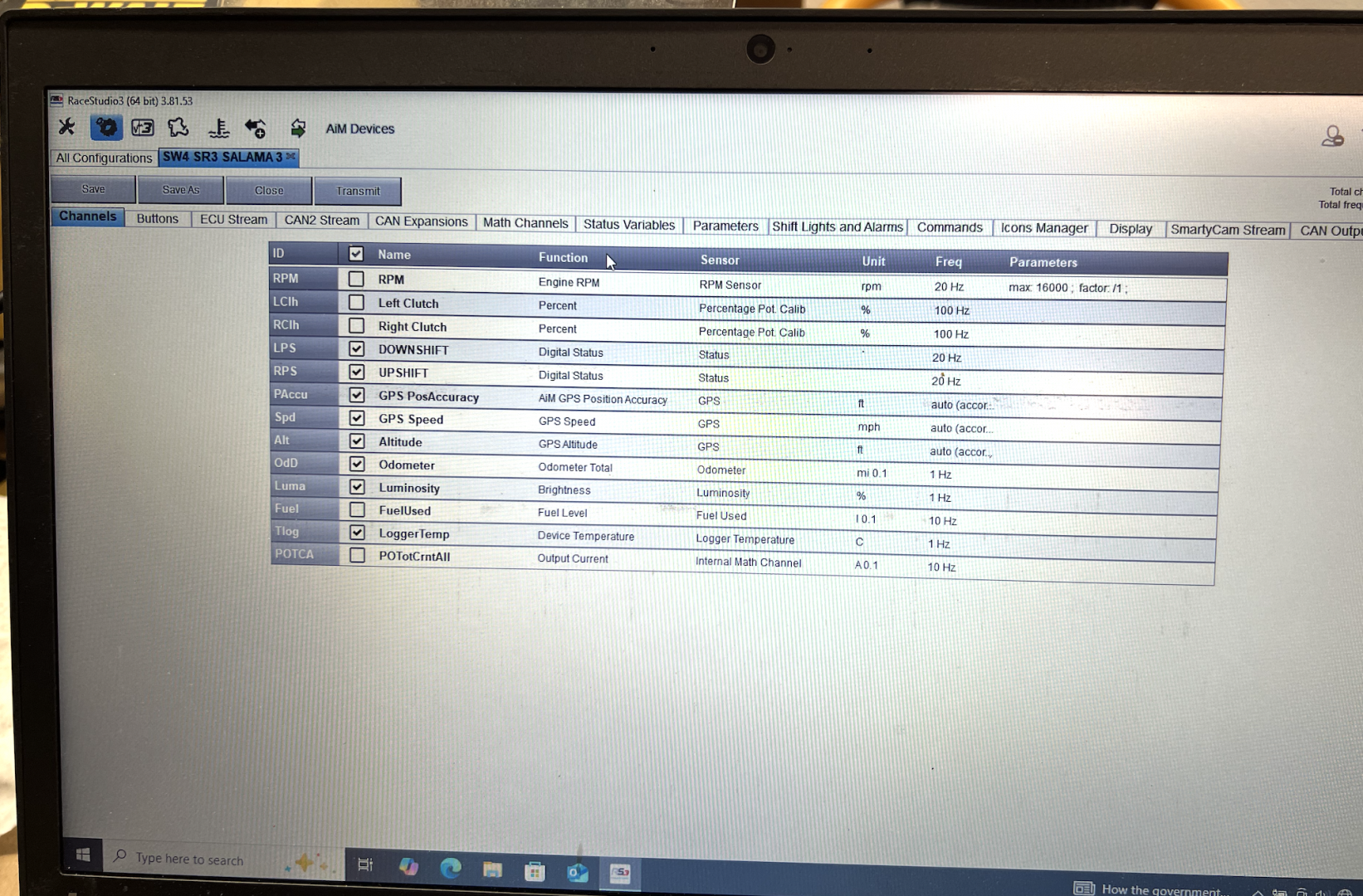
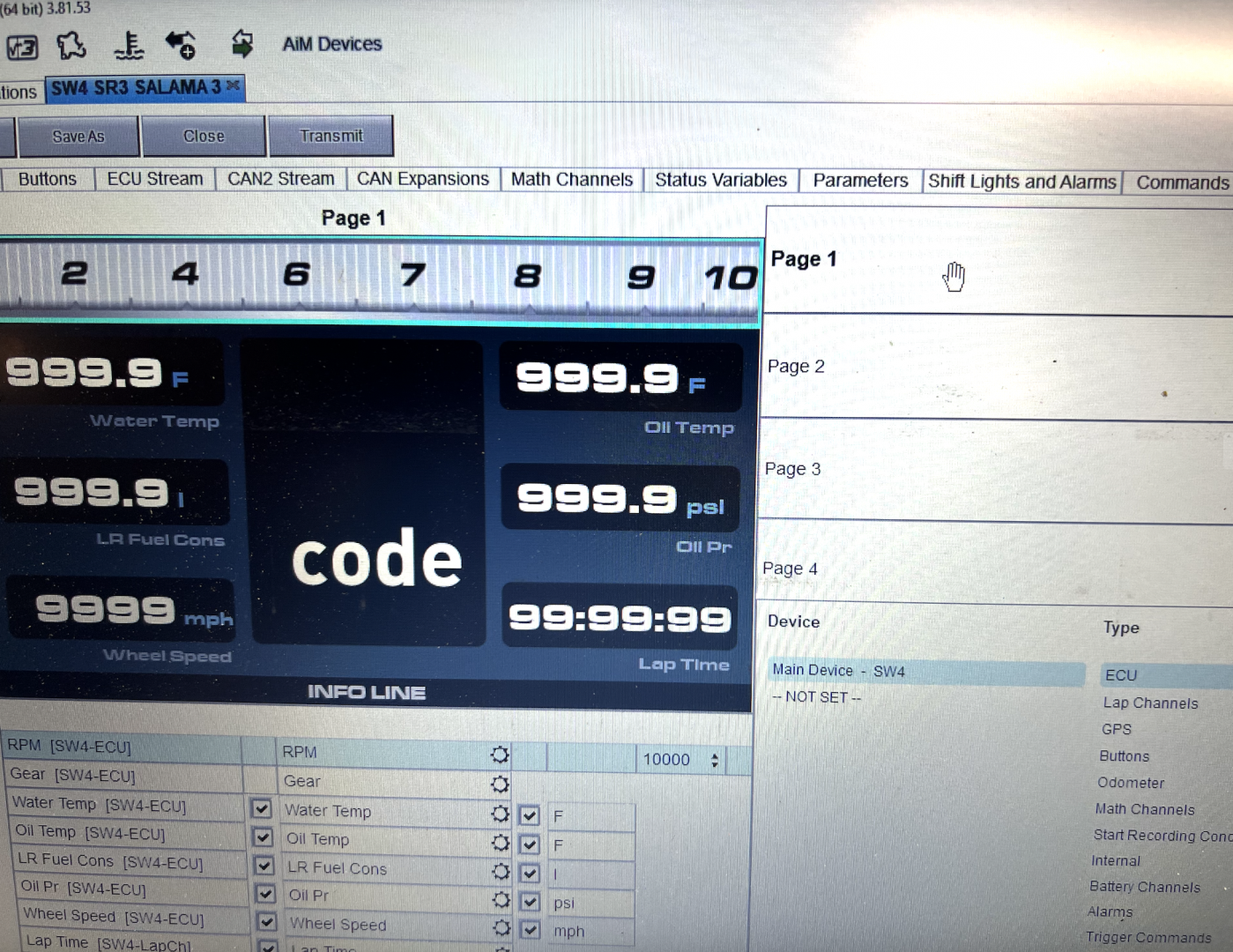
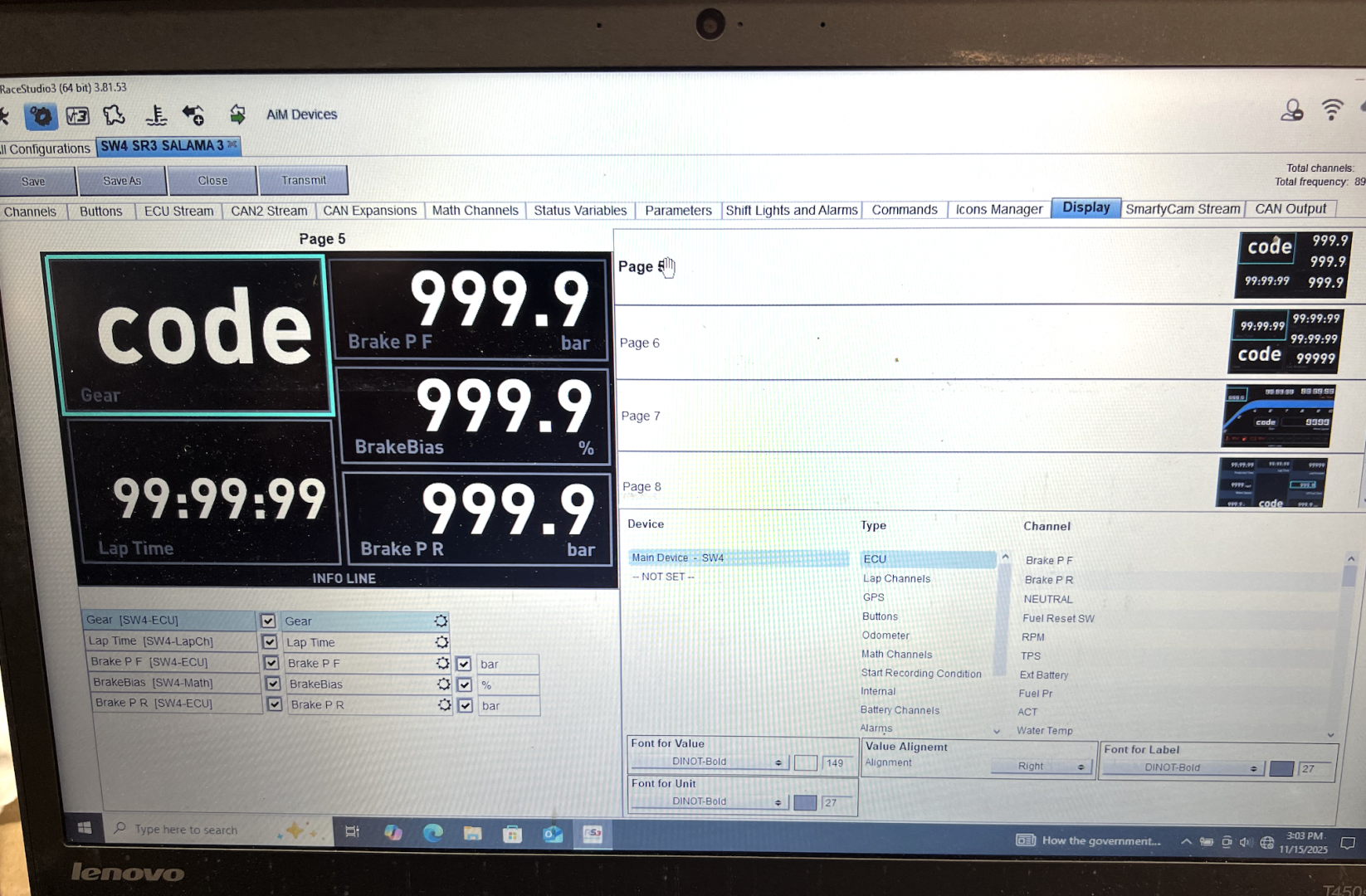
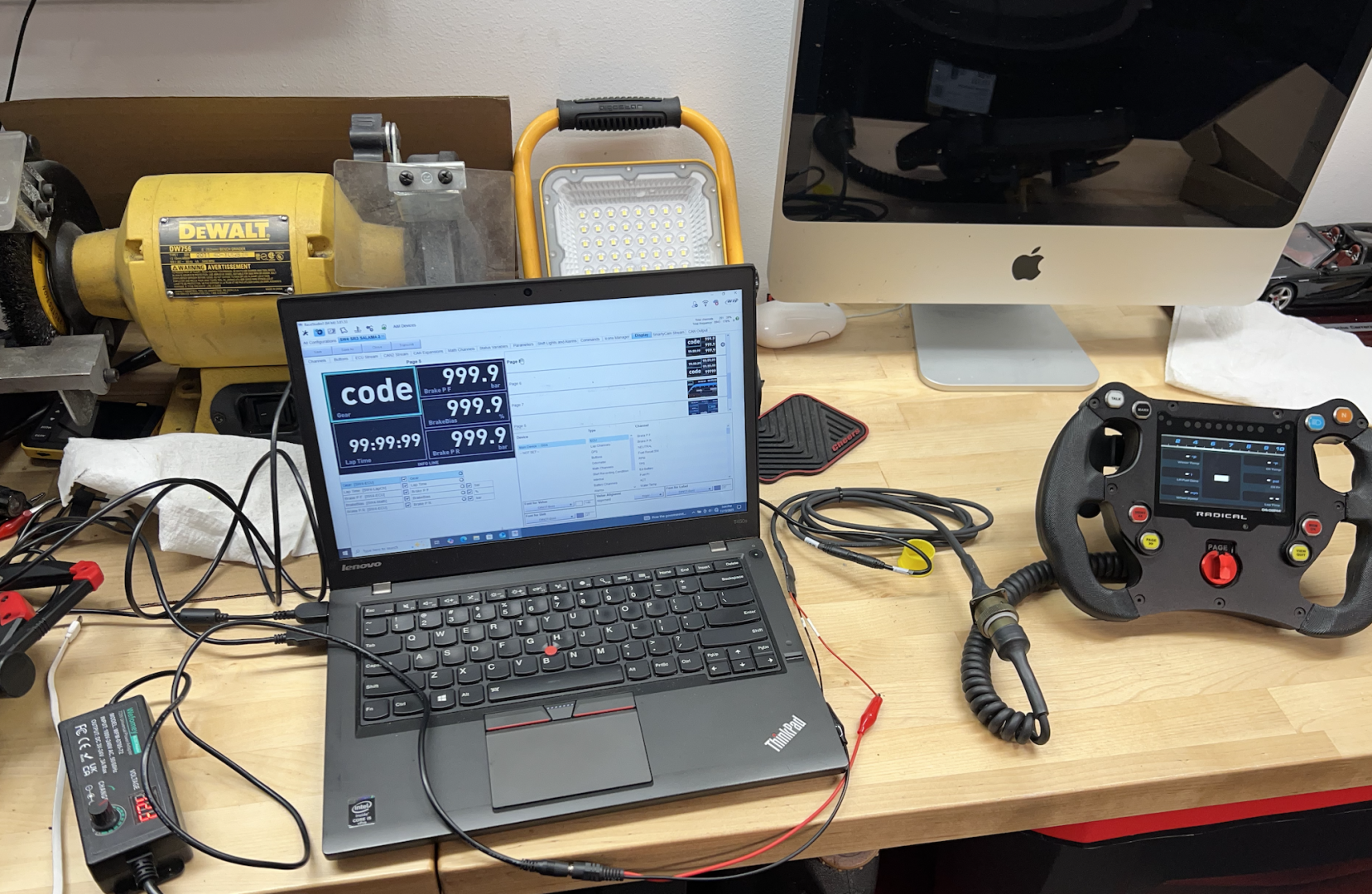
Much apprecaited @radicaldave !
ah....your wheel is recognised as a SW4, mine is not...there must be a key firmware or upgraded hardware difference between our wheels as mine is an earlier version recognised as a FSW_R and i do not get the options you see.
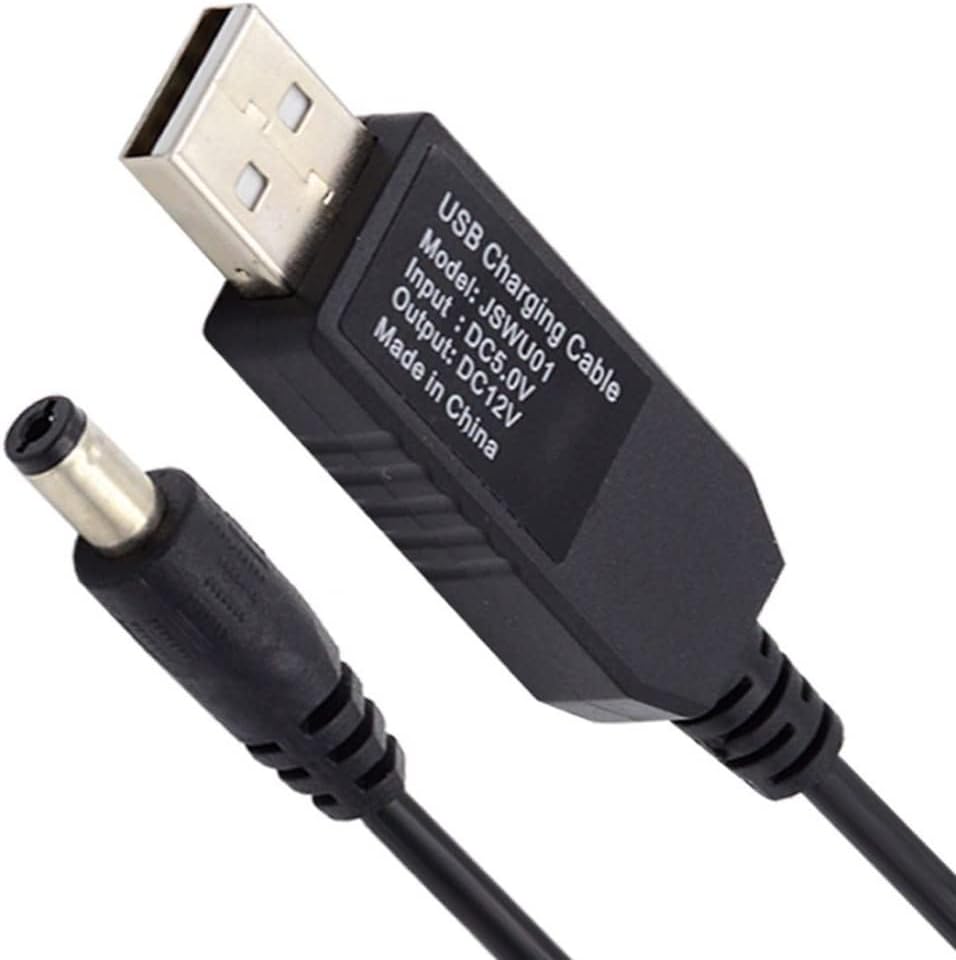
if you want to be able to power the cable/wheel from your laptop in the field this works well for me after chopping off the round connector and hardwiring to the radical supplied harness.
https://share.google/Lr2PlnCFMdCT8YkCu
So for the sake of posterity...my research shows;
| Year | Typical Wheel Fitted | RS3 ID | Notes |
|---|---|---|---|
| 2020 | Early SW4 proto | SW4 | Pre-XX launch |
| 2020–2022 | Radical OEM wheel | FSW_R (8400207) | Full XX launch period |
| 2023–2025 | Retail AiM SW4 | SW4 (8400797) | Updated loom + PDU logic |
SW4 - This is the newer-generation retail AiM SW4 wheel
- New hardware
- Open firmware
- Fully editable pages
- Button remapping in RS3
- Faster LED update rate
- Runs the latest AiM RaceStudio firmware
- Easier replacement globally
- Better reliability and less dropout
FSW_R - This is the older Radical-specific OEM wheel, built before AiM released the improved SW4 hardware.
- Locked CAN config
- Locked button mapping
- Limited display customisation
- Firmware updates only via Radical
- Older hardware
- More internal failures (“dead screens” common)
- More expensive
- Radical-specific parts difficult to source
| Feature | FSW_R | SW4 |
|---|---|---|
| Firmware | Locked | Open |
| Button config | Fixed | Fully editable |
| Shift light config | Restricted | Fully custom |
| Page editor | Limited | Full RaceStudio editor |
| CAN mapping | Radical specific | AiM default |
| Replacement availability | Low | High |
| Reliability | Medium | High |
| Logging | Older engine | Upgraded processor |
| RS3 compatibility | Limited | Full current support |
Can you upgrade the FSW_R to SW4 specs? - No, You cannot load SW4 firmware onto an FSW_R
The FSW_R is an OEM Radical wheel with:
- A different bootloader
- A different CAN firmware architecture
- A unique Radical-specific firmware signing key
- A different hardware ID locked in the MCU
- A different memory layout
RaceStudio will refuse the firmware upload, and if you bypass it manually you’ll brick the wheel.
Well that stinks but I am sure someone will benefit from your research!

@luke-ellis ... good work!...
I'm not sure I fully understand what Radical did near the end of the XX production run... but I know my own XX - chassis 1521 (and some others) were made with the Life PDU rather than the previous supplied AiM PDM. I think the reason those SW4's were locked was that it was critical that the SW4 and AiM PDM remained on the same configuration and firmware to allow them to communicate. To do this Radical 'locked' them both from the factory. I think I was told that these could be 'unlocked', but they warned that doing so risked the devices not working happily together.... not sure why.
The change away from the AiM PDM was apparently done to increase reliability... at least that was what I was told.
I'm not exactly sure what AIM SW4 I have... but I know I can change the configuration, etc. I suspect this was possible after the change to the LIFE PDU.
